 How-to
How to Test Application Data Integrity After a Migration
Last Updated: 4 November 2026
Quick Summary
To test application data integrity after a migration, run a source-to-target comparison in three passes: completeness (row counts and anti-joins), accuracy (hash or checksum comparisons on key columns) and consistency (referential integrity and recalculated fields). Then test application behaviour with migrated records, covering retrieval, workflows, search, reports, permissions and integrations, recording expected and actual outcomes as evidence.
- Build a data migration testing checklist covering scope, owners, baseline, test cases and rollback before cutover.
- Normalise collations, date formats and decimal precision before hashing to avoid false mismatches.
- Test with records that came across in the migration, not newly created ones, to surface encoding and truncation errors.
- Re-verify permissions and role mappings after cutover, as access controls rarely migrate perfectly.
- Define the rollback trigger, recovery point and recovery time before cutover, and test that backups restore.
Table of Contents
- Why Application Data Integrity Testing Decides Migration Success
- Build a Data Migration Testing Checklist Before You Touch Production
- Capture Baselines and Define Validation Criteria
- Run a Source-to-Target Data Comparison That Actually Proves Integrity
- Write Data Migration Test Cases With Clear Pass and Fail Rules
- Post-Migration Testing Best Practices for Application Behaviour
- Validate Privacy, Security and Access Controls After Cutover
- Plan Rollback, Recovery and Post-Cutover Monitoring
- Frequently Asked Questions
Why Application Data Integrity Testing Decides Migration Success
Application data integrity is the assurance that data remains complete, accurate and consistent once it moves from a source system into a target system and is read back by the application. According to Microsoft's guidance on user acceptance testing after data migration, validation must confirm both data correctness and application behaviour, not just row counts. A migration that looks clean in a spreadsheet can still break invoicing, reporting or access permissions. Below, we show you exactly how to test application data integrity after migration, using a repeatable plan that proves integrity rather than assuming it.
The stakes are practical. A single mismatched field can corrupt a client record, a report or a payment run. Testing is how you catch that before users do.
Build a Data Migration Testing Checklist Before You Touch Production
A data migration testing checklist is a written list of every validation activity, owner and pass condition agreed before cutover. Build it early, because retrofitting checks after go-live is where teams lose control. A useful checklist covers five areas:
- Scope: systems, tables, interfaces and reports in the migration
- Owners: who runs each test and who signs it off
- Baseline: what "correct" looks like before the move
- Test cases: record, field and business-rule checks
- Rollback: the trigger point and recovery steps
A common mistake is treating the checklist as a database task alone. The application layer matters just as much, because users experience the system through screens, workflows and integrations, not raw tables.
Capture Baselines and Define Validation Criteria
Baselines are snapshots of source data and expected results taken before migration, and they are the reference every later comparison depends on. Capture record counts, key financial totals, checksums and a set of representative transactions. Then agree validation criteria: the specific conditions that count as a pass. For example, a pass might require a full record-count match, zero orphaned records and a reconciliation rate above an agreed threshold. Without written criteria, "looks fine" becomes the standard, and that standard fails audits.
Run a Source-to-Target Data Comparison That Actually Proves Integrity
A source-to-target data comparison proves integrity when it checks completeness, accuracy and consistency at record and field level, not just totals. Start with record counts, then move to full comparison using checksums or hash totals, and finish with sampling for the fields that carry business risk.
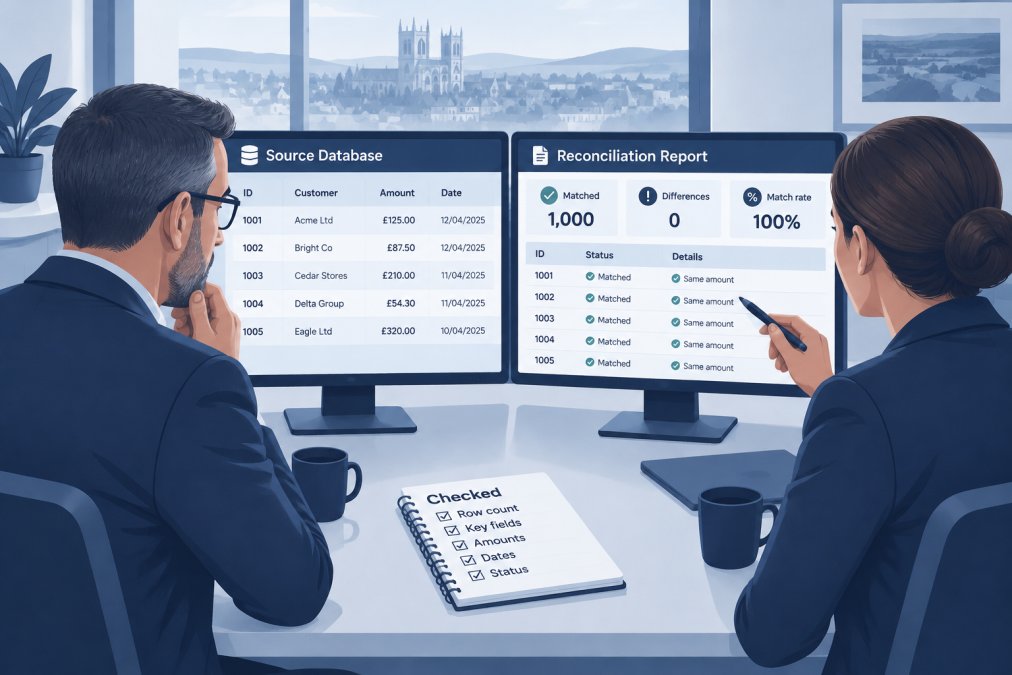
The comparison should run in three passes, each with a defined pass condition:
- Completeness pass. Compare source and target row counts per table and per partition. A pass requires an exact match, or a documented and approved variance where the migration intentionally filters records (for example, archived or soft-deleted rows). Use anti-joins on primary keys to find missing or extra records, and record every orphan with its source key so it can be traced.
- Accuracy pass. Run hash or checksum comparisons on key columns, customer identifiers, invoice numbers, monetary amounts and dates. Where a full-table hash is too slow, hash in batches by primary-key range and compare batch totals. A pass requires zero hash mismatches on critical columns; any mismatch triggers a field-level drill-down on the affected batch.
- Consistency pass. Check referential integrity by confirming that every foreign key in the target resolves to a parent record, and that calculated fields (totals, balances, derived statuses) recompute to the same values as the baseline. A pass requires zero orphaned foreign keys and a reconciliation rate above the threshold agreed in your validation criteria, commonly 99.9% or better for financial data, with every exception logged and explained.
For teams validating connected systems, our guide on testing SaaS integrations after migration covers the interface checks that sit alongside this comparison.
Watch out: hash comparisons can produce false mismatches when the source and target use different collations, date formats or decimal precision, normalise these before hashing, or you will spend days chasing differences that are not real data errors.
The comparison runs in three passes, each with its own defined pass condition.
| Pass | What to check | Pass condition |
|---|---|---|
| Completeness | Source and target row counts per table and partition | Exact match, or documented and approved variance |
| Accuracy | Hash or checksum comparisons on key columns | Zero hash mismatches on critical columns |
| Consistency | Referential integrity and recalculated fields | Zero orphaned foreign keys; reconciliation above agreed threshold |
Write Data Migration Test Cases With Clear Pass and Fail Rules
Data migration test cases are scripted checks that state the input, the expected result and the pass or fail condition. Vague test cases produce arguments at sign-off; precise ones produce evidence. Write each case with a named owner, the data set used, the expected outcome and the actual recorded outcome. Cover field-level validation, business rules, referential integrity, duplicate records and null handling. Keep an error log and audit trail so failures can be traced and re-tested. Where a check fails, record the exception and its resolution rather than quietly retrying.
Post-Migration Testing Best Practices for Application Behaviour
Post-migration testing best practices focus on how the application behaves, not only on whether rows arrived. Many migration reviews stop at database comparison; the real risk sits in the application layer, where migrated records must behave correctly in workflows, permissions, search, reports and user-facing screens. Confirm that logins, workflows, calculations, reports and integrations still work with migrated data, and test as real users would in a controlled environment before releasing to the wider team. Validating workflows, permissions and integrations against migrated records also depends on preserving their relationships and access controls, so teams should migrate entity data securely before testing how those records behave in the application.
A practical application-behaviour test plan covers six scenario types, each with a pass condition:
- Record retrieval and display. Open a sample of migrated records, including edge cases such as records with null optional fields, maximum-length text and special characters, and confirm every field displays correctly on the user-facing screen. Pass: no truncation, encoding errors or missing values.
- Workflow and status transitions. Take a migrated record through its normal lifecycle (for example, a quote to order to invoice) and confirm statuses, approvals and notifications fire as expected. Pass: the workflow completes without manual intervention and the audit trail records each step.
- Search and filtering. Search for migrated records by name, reference and date range, and confirm results match the source system's behaviour. Pass: the same query returns the same record set, with no missing or duplicate hits.
- Reports and calculations. Run the reports that matter to the business, aged debt, stock valuation, payroll summaries, and reconcile totals against the baseline. Pass: report totals match the baseline within the agreed tolerance, and drill-downs resolve to the correct records.
- Permissions and access. Log in as users in each role and confirm they see only the records and actions their role allows. Pass: no unauthorised record is visible, and no permitted action is blocked.
- Integrations and interfaces. Trigger each inbound and outbound interface with migrated data and confirm payloads are accepted and processed. Pass: no interface errors, and downstream systems receive the expected records.
Record the actual outcome for every test case alongside the expected outcome, and keep the evidence, screenshots, report extracts and error logs, attached to the sign-off record. Our article on checking business application compatibility after migration walks through the compatibility checks that belong in this phase, and our post-migration performance testing steps help you confirm the system still performs under realistic load.
Watch out: testing only with newly created records after cutover hides problems in migrated data, always test with records that came across in the migration itself, because that is where encoding, truncation and relationship errors surface.
Validate Privacy, Security and Access Controls After Cutover
Access controls must be re-verified after cutover because permissions and role mappings rarely migrate perfectly. Check that users see only what their role allows, that privileged accounts are correct and that personal data is handled as before. Review audit logging and confirm that sensitive records are not exposed through reports or integrations. Our explainer on the three types of access control sets out the models to verify against, including role-based access control.
Plan Rollback, Recovery and Post-Cutover Monitoring
Rollback and recovery planning decides whether a failed migration becomes an incident or an inconvenience. Define the rollback trigger, the recovery point and the recovery time before cutover, and test that backups actually restore. Our guide on backup and recovery testing explains how to prove you can recover rather than assume it. After go-live, monitor error logs, reconciliation rates and user reports for a defined period, and keep the validation evidence on file.
A migration is only finished when you can prove the data and the application still behave correctly. If you would rather have that proof handled for you, Hamilton Group provides proactive IT management and cyber security support for businesses across Yorkshire. We are a Cyber Essentials Plus-certified partner, we build a Proactive IT Security Baseline for every managed client, and we take a people-first approach that avoids tech-speak. Contact Hamilton Group for current pricing or a quote, and move into your next migration with confidence.
Frequently Asked Questions
How do you test data integrity after a migration?
Start by capturing a baseline of record counts, key field values and checksums from the source system before cutover. After migration, compare those baselines against the target system using record-level and field-level checks, then confirm the application reads and writes the migrated data correctly. A practical application data integrity test combines automated reconciliation scripts with manual spot checks on high-value records, and every check needs a pass or fail threshold agreed before testing begins.
What should you check after migrating an application?
Check record counts and completeness first, then field-level accuracy, referential integrity between related tables, duplicate and null values, and user access permissions. Move on to application functionality: log in as each user role, run core transactions, and confirm reports and integrations return the same results as before. Finish with performance checks under realistic load and a review of error logs. A data migration testing checklist keeps these checks in order so nothing is signed off on assumption.
How do you compare data between a source and target system?
A source-to-target data comparison works in layers. Compare row counts per table, then checksums or hash totals per column, then full record-level comparison on a sample and on all high-risk records. Use anti-joins to find records present in one system but missing from the other, and compare by load date to catch partial transfers. Where full comparison is too slow, sampling with a documented method is acceptable, provided the sample includes every table that holds financial, client or compliance data.
When should you roll back a migration?
Roll back when a failed check breaches an agreed acceptance criterion, such as missing records in a financial table, broken referential integrity, or a core business process that will not run in the target system. Decide the rollback trigger before cutover and test the rollback itself, not just the migration. If the fault is isolated and fixable within the cutover window, a targeted correction may be safer than a full rollback, but that decision should be made by the migration lead against the written criteria, not in the moment.